
How to create and distribute a release step by step
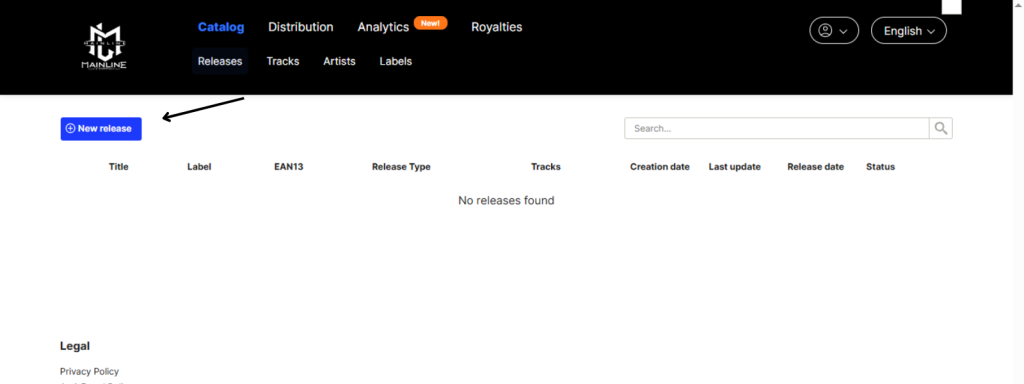
1. Release info:
In the tab “1. Release info” you must enter the following metadata:
- Album (release title). If it is a single of one track, the title must be the same at track level.
- Cover Art. You must upload an image file from your computer.
- Remix or version. This field is not mandatory, it should only be filled in the case the release is a remix, a version, or a special edition.
- Artist(s). You can introduce different artists with different roles.
- Label. If you are not with any label, you can enter the name of the main artist.
- Genres. You can introduce primary and secondary genres.
- Language. The main language of the release.
- Explicit Lyrics. It should only be marked if one or more tracks on the release contain explicit lyrics. This option should also be marked at track level.
- Format. It is necessary to specify whether it is a single, an EP, or an Album.
- UPC Code and Reference number. If you do not have the codes, you just have to check the box “Assign one to this release”, and the platform will assign them automatically as soon as the distribution process begins after the QC approval.
- Title (release). If it’s a single, the title must be the same at both the release and track levels (tab 3. Tracks).
- Version. This field is not mandatory; it should only be filled out if the release is a remix, a version, or a special edition.
- Language of titles. The primary language of the release.
- Release type (Format). It’s necessary to specify if it’s a single, an EP, or an album.
- Cover Art. You must upload a cover image from your computer.
- Genres. You can enter primary and secondary genres.
- Credits (Artists). You can enter different artists with different roles.
- Label. If you’re not with any label, you can enter the name of the main artist. The name you choose here will be displayed in the claim for videos on YouTube.
- UPC code and reference number. If you don’t have the codes, you just need to check the box
- “Assign one to this album”. This way, the platform will assign them for free and automatically as soon as the shipment to the stores is generated after QC approval.
2. Tracks
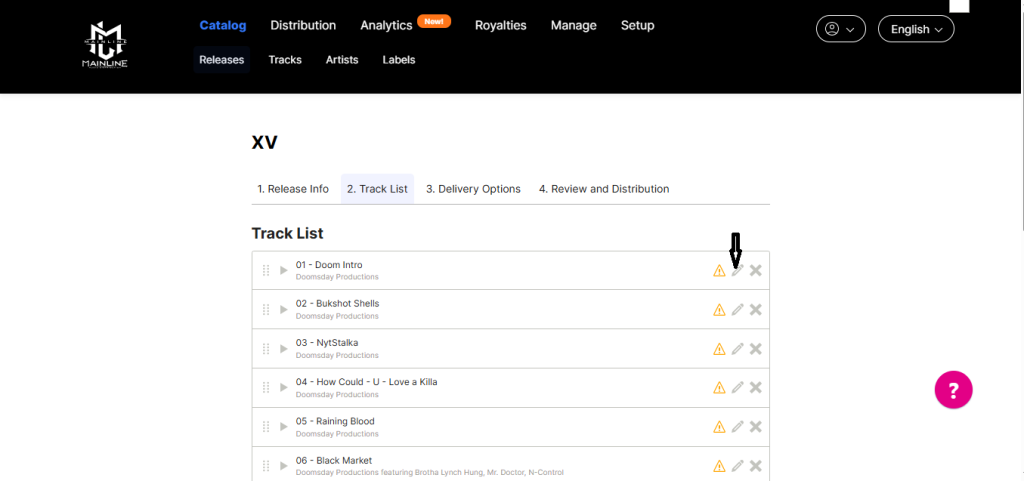
If it is the first time you have distributed a release, and you never uploaded these tracks to the platform before, you must select “From your Computer”, since the tracks won’t be available “From catalog”. Once the tracks are uploaded correctly, review and edit the information of each track by clicking the edit icon on the right.
If you have already created the tracks from the Catalog>Tracks section, you can add them to a release by selecting the “From Catalog” option.
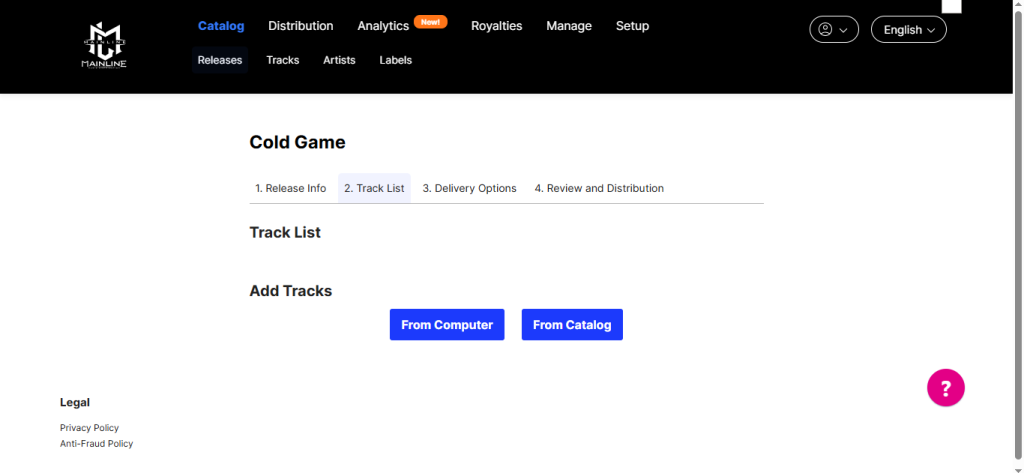
Filling tracks metadata
After adding your tracks, once you access it from the editing icon, you should fill in all necessary metadata.
NOTE: We would like to inform you of an important update at Mainline Music Distribution regarding metadata standards required by Spotify for all releases delivered to their platform.
As stated in their support center, all tracks must include Composer and Lyricist credits with full first and last names. This applies immediately to all releases. Any release not meeting the Composer and Lyricist credits requirements will be rejected.
Moreover, Spotify has recently rolled out more detailed song-credits features, including expanded listings of background vocalists, musicians, engineers, and other contributors (Music Business Worldwide).
Correctly crediting songwriters and contributors with full names is not just a formality, it matters for:
Recognition: Your creators will be publicly credited, visible to fans and industry alike.
Royalties & rights: Accurate data ensures that the correct parties are paid, and reporting is clean and efficient.
Platform compliance: As Spotify expands its credit-features, missing or incomplete metadata can cause delays, mis-routing of royalties, or platform delivery issues.
Professional relevance: Contributors whose names appear properly are more likely to be discovered and engaged for future work. Spotify quotes that visibility of each contributor “can be life-changing.”
When submitting a new release via our platform, please make sure to include:
- Full legal first and last names of all composers and lyricists.
2. Clear indication of role (Composer, Lyricist, Composer & Lyricist).
3. Avoid initials-only or incomplete names – these can lead to metadata gaps, mis-crediting, or platform issues.
If any of your submissions currently have incomplete songwriter credits, we strongly recommend revising them before delivery, to avoid complications and to ensure all creators receive what they deserve.
3. Delivery Options
In the Delivery Options tab you will have to enter the following metadata:
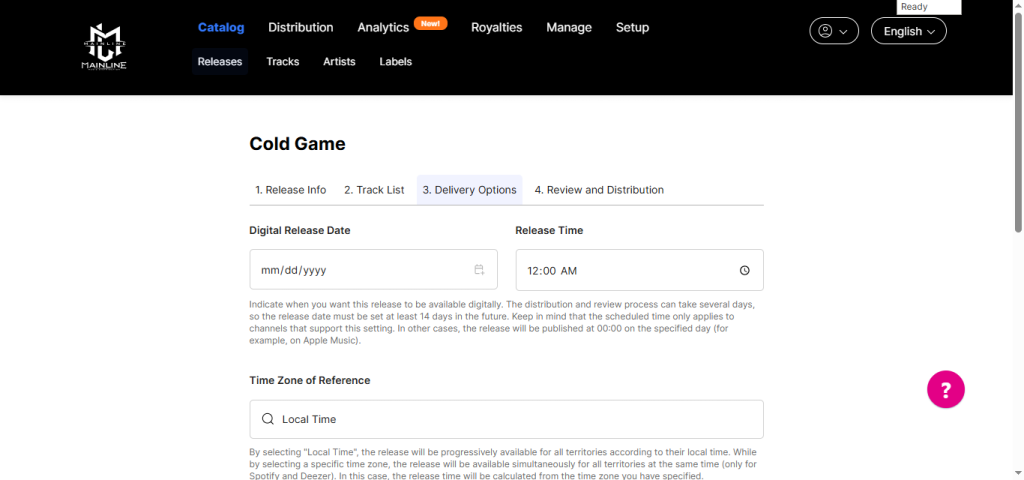
- Digital release date. Date desired for it to be available on channels. Keep in mind that channels may take 2 to 15 days to publish it.
- Original Release Date. The date on which the release was originally released. If it has not been released before, the date will be the same as the Digital Release Date.
- License Holder. The legal name of the release owner.
- (P) copyright for sound recordings: Legal name of the sound recording rights owner.
- Release time. The hour and timezone for the publication.
- (C) Legal owner of the creative works.
- (P) Legal owner of the release. The name you enter here will appear at the bottom of the release on Spotify.
- Territories.
- Price category. Select a price range. This will set the price of your release in online stores.
4. Review and distribution
Here you will see all the information about the release that has been added. In the upper right, the button “Distribute this release” will appear, indicating that you can distribute.
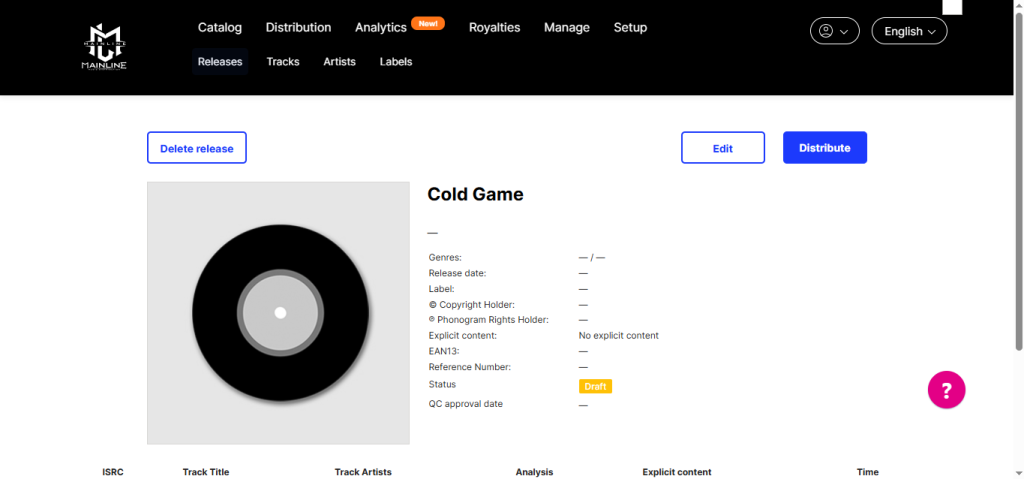
By clicking that button, you will see all available distribution channels. Select the channels you want.